View Sounds
In the Administration module, you can view and manage all the sounds added to Xsponse. The Sounds section allows you to browse existing entries, filter them by category, and listen to previews.
To View Sounds
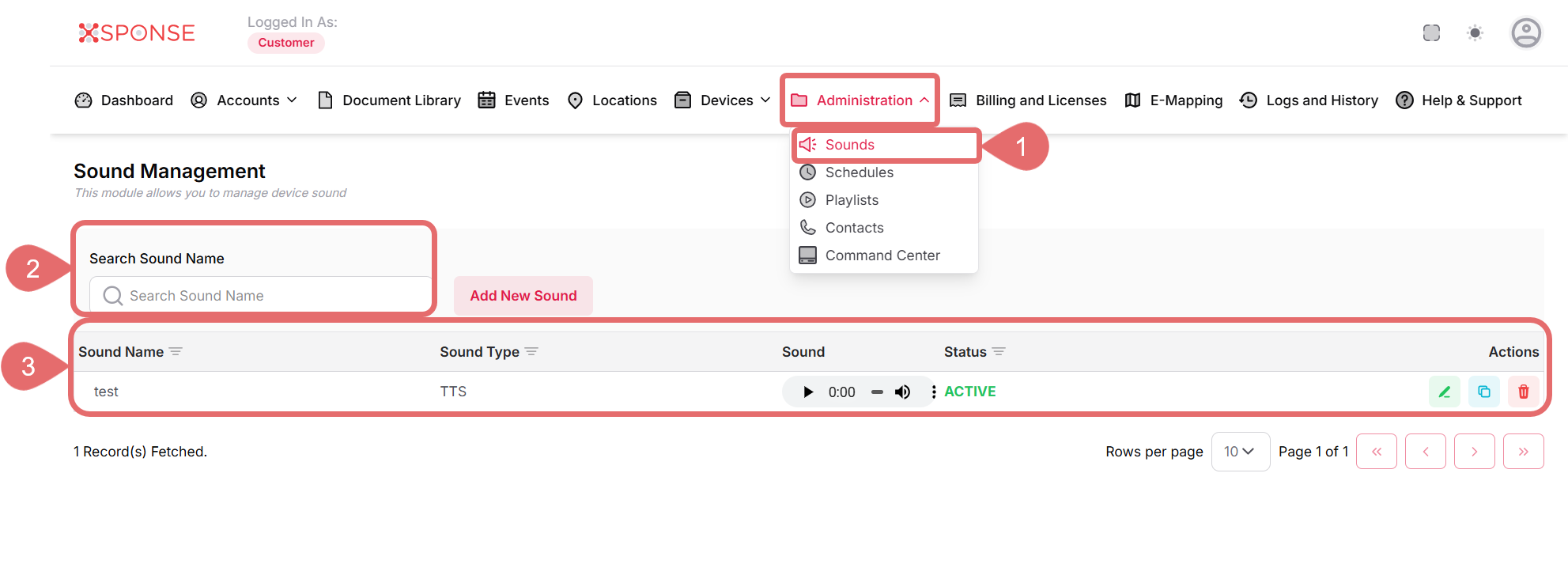
- Go to Administration > Sounds.
- The list of available sounds is displayed. Each entry shows the following information:
- Sound Name: The custom name given to the sound.
- Sound Type: Either Custom Sound or Text-To-Speech.
- Sound: Displays the audio file or Text-To-Speech processing status.
You Can:- Play the sound.
- Adjust the volume.
- Change the playback speed.
- Status: Shows the current state of the sound, such as Active.
- Actions: Options to play, edit, or delete the sound.
- Use the search bar to find a sound by name.
See Also
To complement your knowledge of this process, check the following pages: